

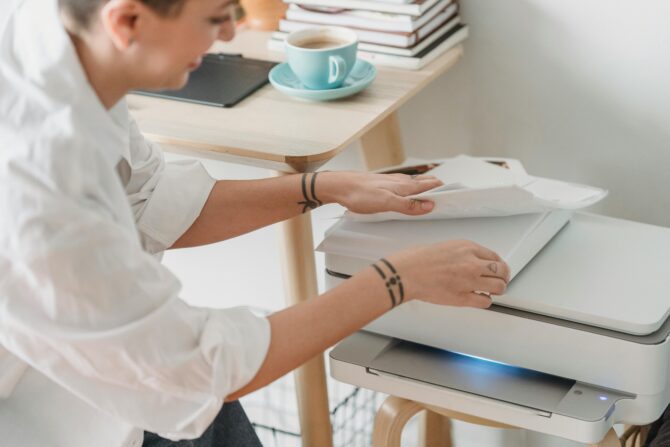
A fun and budget-friendly guide for printing wedding invitations.
Wondering how to print wedding invitations at home without it looking like a school project? Totally doable and a great way to save money while adding a personal touch to your big day. With the right materials, design tools, and printing techniques, you can create beautiful wedding invitations that look just as good as professionally printed ones (promise). Here’s everything you need to know to make the process smooth and stress-free!
This post contains affiliate links. Love Inc. Magazine may earn a small commission if you shop through them, at no cost to you. We only feature products we actually love.
How to print wedding invitations at home, in 7 steps:
- Pick your invitation size: A7 (5″ x 7″) is the standard and fits A7 envelopes.
- Choose quality paper: 80-110lb cardstock for formal invites, matte or textured for elegance.
- Design your invites: use Canva, Adobe InDesign, or an Etsy template.
- Set up your printer: inkjet for color-heavy designs, laser for crisp text.
- Test print first: always run a test on plain paper before your good cardstock.
- Trim and embellish: clean edges, rounded corners, wax seals, or envelope liners.
- Address and mail: weigh one at the post office to confirm postage before you send.
1. Picking the Right Wedding Invitation Size
Before you start designing, you’ll want to choose the right size for your invitations. Sticking with standard sizes makes it easier to find envelopes that fit properly. Here are some popular options:
- A7 (5″ x 7″): The go-to size for wedding invitations. Fits perfectly into an A7 envelope.
- A2 (4.25″ x 5.5″): Great for RSVP cards or extra inserts.
- A6 (4.5″ x 6.25″): A slightly smaller option that’s still elegant and easy to mail.
- Square Invitations (5″ x 5″ or 6″ x 6″): A trendy choice, but might require extra postage.
- DL (3.9″ x 8.2″): A modern, sleek design perfect for contemporary weddings.
If you’re using a non-standard size, check with the post office to make sure you’ve got the right postage!
2. Choosing the Best Paper
The type of paper you use makes a huge difference in how your invitations look and feel. Here are some great options:
- Cardstock (80lb-110lb): Thick and sturdy, perfect for formal invitations. (FYI, cardstock thickness is measured in pounds per 500 sheets, so don’t be thrown off by the big weight numbers!)
- Matte Paper: Smooth, non-glossy, and easy to print on.
- Glossy Paper: Great for bright colors and photo-heavy designs.
- Textured Paper (Linen, Cotton, Parchment): Adds a unique and classy touch.
- Recycled Paper: A great eco-friendly option for sustainable weddings.
3. Designing Your Wedding Invitations
If you’re not a graphic design pro, don’t worry! There are plenty of beginner-friendly programs to help you create gorgeous invitations:
- Canva (Free & Paid): Super easy to use with tons of templates.
- Adobe InDesign (Paid): Perfect if you want full creative control.
- Microsoft Word & PowerPoint (Free with Microsoft 365): Simple but effective.
- Affinity Designer (One-time Purchase): A great alternative to Adobe.
- Procreate (iPad): Ideal for hand-drawn or artsy designs.
- Etsy Templates: Buy and customize ready-made designs from talented artists.
Not sure whether to DIY at all, or which pieces of your stationery suite to tackle yourself? Our complete wedding stationery guide breaks down every piece, from save-the-dates to thank-yous.
4. Printing Tips for the Best Results
Home printing takes a little trial-and-error, but with these tips, you’ll get it right:
A. Choosing the Right Printer
- Inkjet Printers: Best for vibrant colors and photo-based designs.
- Laser Printers: Ideal for crisp text and sharp lines, but may not work well with textured paper.
B. Printer Settings
- Use ‘High Quality’ or ‘Best Print’ Mode: Makes a big difference in how sharp your prints look.
- Select the Right Paper Setting: Adjust for cardstock or specialty paper.
- Test Print First: Always print on regular paper before using expensive cardstock.
- Check Margins and Bleed Areas: Make sure nothing important gets cut off.

5. Cutting and Adding Special Touches
Once your invitations are printed, it’s time to trim and embellish them:
- Paper Trimmer or Guillotine Cutter: For clean, straight edges.
- Corner Punch: Creates rounded corners for a polished look.
- Embossing or Foiling: Adds an elegant, luxe touch.
- Ribbons, Wax Seals, or Envelope Liners: Small details that make a big impact.
6. Addressing and Mailing Your Invitations
Now that your invites are ready, it’s time to send them out!
- Handwritten Calligraphy: A beautiful, personal touch.
- Printed Address Labels: A neat and consistent option.
- Custom Stamps or Wax Seals: Elevate the envelope’s look.
- Weigh Your Invitations: Bring one to the post office to make sure you have the right postage.
7. Fixing Common Printing Problems
If you run into issues, here’s how to fix them:
- Ink Smudging: Let prints dry fully before handling.
- Paper Jams: Use the rear feed tray for thick cardstock.
- Colors Not Matching: Check your screen calibration and use high-quality ink.
- Alignment Issues: Adjust your printer’s margin settings or use alignment guides in your design software.
FAQs: Printing Wedding Invitations at Home
Can you really print wedding invitations at home?
Absolutely! With good cardstock, a decent printer, and a little patience, home-printed invites can look just as polished as professionally printed ones. The trick is using the right paper weight (80-110lb cardstock) and doing a test run before printing your final batch.
What kind of paper is best for printing wedding invitations at home?
For a formal look, go with 80-110lb cardstock in matte or textured finish (linen and cotton are gorgeous). Inkjet printers handle textured paper beautifully, while laser printers work best with smooth matte stock.
Inkjet or laser printer — which is better for wedding invitations?
Inkjets win for color-heavy or photo-based designs and specialty paper. Laser printers give you crisper text and sharper lines, making them ideal for minimalist or typography-forward invites. If you’ve got both, test each with your design.
How much money can you save by printing wedding invitations at home?
Most couples save 50-70% compared to professional printing. Expect to spend $50-150 on paper, ink, and embellishments for 100 invites versus $300-500+ professionally.
What size should wedding invitations be?
A7 (5″ x 7″) is the industry standard and fits perfectly into A7 envelopes — the safest choice for both design and postage. Square or oversized invitations often require extra postage, so check with your post office before committing.
Can I print wedding invitations on a regular home printer?
Yes, as long as it handles cardstock. Check your printer’s manual for the maximum paper weight it supports (most home printers max out around 110lb via the rear feed tray). If yours can’t handle thick stock, use a local print shop for the final print.
Printing wedding invitations at home is an awesome way to save money and get creative. With the right paper, design software, and a little patience, you can make invitations that look amazing and feel personal. Just take your time, test things out, and have fun with the process!
Want the full picture on wedding paper goods? Head over to our complete wedding stationery guide for everything from save-the-dates and RSVPs to menu cards and thank-yous.
Cover photo by George Milton; photo 2 by Andrei Ciubotariu;